Mobile 2
Maintenance Connection Canada
What You See
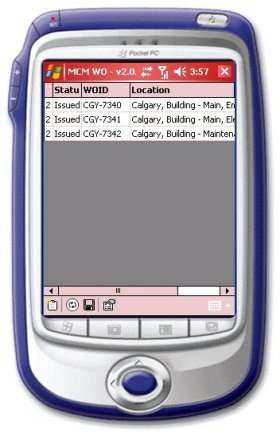
This is the opening screen for MCM-WO. On this screen is a list of all outstanding W/Os that were assigned to this device's owner. This list is refreshed every time the device device is "Synced" to your Maintenance Connection server, either wirelessly or through another computer connected to the web. New W/Os are added and completed ones are moved off the device and update your Maintenance Connection server.
Navigation
<p style='color:black;font-weight:normal'><font face='Arial'><img border="0" src="/files/littlebutton.gif" align="bottom" width="17" height="17">Tap or hover over and click W/O CGY-7340 to go to it's detail<br>
<img border="0" src="/files/littlebutton.gif" align="bottom" width="17" height="17">Tap or hover over and click the Close button<img border="0" src="/files/closebtn.jpg" width="17" height="15">to go back to the opening screen<br>
<img border="0" src="/files/littlebutton.gif" align="bottom" width="17" height="17">Tap or hover over and click the New Work Order button<img border="0" src="/files/newwobtn.jpg" width="18" height="20">to go the New Work Order screen<br></font></p>