Mobile 14
Maintenance Connection Canada
What you see
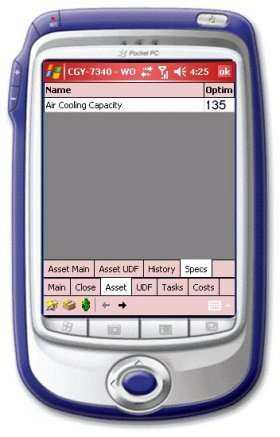
This screen displays all the specifications entered in the main system for this asset.
Navigation
<div><p style='color:black;font-weight:normal'><font face="Arial">
<img border="0" src="/files/littlebutton.gif" align="bottom" width="17" height="17">Tap or hover over and click the item in the list to see the details of this specification<br>
              <img border="0" src="/files/littlebutton.gif" align="bottom" width="17" height="17">Tap or hover over and click the Asset UDF button to see the asset user defined field information<br>
              <img border="0" src="/files/littlebutton.gif" align="bottom" width="17" height="17">Tap or hover over and click the Main button to return to to the W/O detail screen </font></p></div>